RSS
Facebook
Twitter

Saturday, 30 November 2013


Waste capacity ကို မ်ားစြာေပးထား တာပါ ကြ်န္ေတာ္ တို႔က အဲဒီမလိုအပ္တဲ႔ wasted capacity ကို ေလွ်ာ႔ ခ် လိုက္ၿခင္း အားၿဖင္႔ free space မ်ားမ်ားရရွိေအာင္ လုပ္ေဆာင္နိုင္မွာ ၿဖစ္ပါတယ္.. တစ္ဆင္႔ၿခင္းကို   ေသေသခ်ာခ်ာ လုပ္ေဆာင္ သြားဖို႔လိုပါတယ္.
ကြန္ပ်ဴတာ တစ္လံုးမွာ hard disk ရဲ႕ လုပ္ေဆာင္မႈ႔ ဟာ အေရးပါလွပါတယ္ မိမိရဲ႕ hard disk မွာ free space နည္းေနရင္ ကြန္ပ်ဴတာ လုပ္ေဆာင္မႈ႔ ေႏွးလာၿခင္း၊ program မ်ား run ရာတြင္ ၾကန္႔ၾကာၿခင္းတို႔ ၿဖစ္ေပၚလာေလ႔ရွိပါတယ္…. Window တစ္ခု စတင္ လိုက္တဲ႔ အခါကတည္းက default disk setting ကို

ပထမဆံုး my computer ကို ဖြင္႔ပါ Localdisk:C ရဲ႕properties မွာ usedspace,freespace ဘယ္ေလာက္ ရွိတယ္ ဆိုတာကို မွတ္သားထားလိုက္ပါ ဒါမွသာ ကြ်န္ေတာ္တို႔ရဲ႕ လုပ္ေဆာင္မႈ႔ဟာ အက်ိဳး သက္ေရာက္ မႈ႔ရွိမရွိ ကို သိရွိနိုင္မွာ ပါ .. မွတ္သားၿပီးသြားရင္ေတာ႔

၁။ Start Menu , Control Panel မွ Power options ကို click ပါက်လာတဲ႔ Power options properties dialog box မွ Hibernate tab ကို ထပ္ၿပီး click လိုက္ပါဦး ၿပီးရင္ EnableHibernation ဆိုတဲ႔ စာေၾကာင္း ေလးကို uncheck လုပ္ၿပီး Apply , Ok ေပးပါမယ္..

၂။ Run box မွာ sysdm.cpl လို႔ရိုက္ထည္႔ၿပီးေတာ႔ enter ေခါက္ပါ ရရွိလာတဲ႔ system properties dialog box မွ System Restore tab ကို ထပ္ၿပီး click ပါမယ္ Available drivers : ေအာက္က ( C ) ကို select ေပးၿပီး settings button ကို click ပါမယ္ Device Settings ဆိုတဲ႔ box တစ္ခုထပ္မံ က်ေရာက္ လာတာ ကို ေတြ႔ရမွာပါ Disk space to use: ေအာက္မွာ မူလက 12 % ( 6132MB) ရွိရာမွ 3% (1386MB) သို႔ေလွ်ာ႔ခ်လိုက္ပါမယ္. ၿပီးရင္ Ok ေပးပါ..

၃။ Start Menu , Internet explorer ကို open ရပါမယ္ Menu bar မွ tools , Internet options ကို click ပါ Delet files ကို ထပ္မံ click ပါမယ္ alert box တက္လာပါမယ္ .. Delete all offline content ဆိုတဲ႔ စာေၾကာင္းကို check ေပးၿပီး Ok ေပးပါ
 
၄။ Delete files button ရဲ႕ ညာဘက္ေဘးက settings ကို click ပါမယ္ Amount of disk space to use : စာေၾကာင္းေအာက္က box ထဲမွာ မူလက 474 MB ေပးထားတာကို 50 MB လို႔ ၿပင္ရိုက္ၿပီး OK ,OK
ေနာက္ဆံုးအဆင္႔ကေတာ႔ shift+delete နဲ႔ ဖ်က္မထား မိလို႔ Recycle Bin ထဲက မလိုအပ္တဲ႔ ဖိုင္ေတြကို right click ေထာက္ၿပီး Empty Recycle Bin လုပ္ပါမယ္ ၿပီးပါၿပီဗ်ာ My computer ထဲ က Disk C မွာ free space ဘယ္ေလာက္တိုးလာ သလဲဆိုတာ စစ္ေဆးၾကည္႔ရင္း မိမိကြန္ပ်ဴတာ ဘယ္ေလာက္ ၿမန္ဆန္ သြက္လက္ လာသလဲဆိုတာ စမ္းသပ္ၾကည္႔ၾကပါစို႔လား ………

အႏွစ္ခ်ဳပ္ကေတာ႔..
• Recycle Bin: Default 10 % dropped to 1%
• Hibernation:Default ON ( for notebooks) switched OFF
• Internet explorer: Default 474 MB dropped to 50 MB
• System Restore: Default 12% dropped to 1% (~ 1 GB) 


MATHTYPE 6.8 2012 FULL VERSION


သခ်ာၤနဲ႕ ပတ္သက္တဲ့ သေကၤတေတြ ကို ဒီဇိုင္းထုတ္ေရးဆြဲတဲ့ Software တစ္ခုျဖစ္ပါတယ္။
စာတမ္းလုပ္ေနတဲ့ေက်ာင္းသားမ်ား အင္ဂ်င္နီယာမ်ား စသၿဖင့္ သခ်ာၤနဲ႕ပတ္သက္ၿပီး
အလုပ္လုပ္ေနသူေတြအတြက္ကေတာ့ ေတာ္ေတာ္ေလးအသံုး၀င္ပါတယ္..ေအာက္မွာ Download ယူႏိုင္ပါၿပီ
MathType 6.8 is a powerful interactive tool for Windows and Macintosh that lets you create mathematical notation for word processing, web pages, desktop publishing, presentations, and for TeX, LaTeX, and MathML documents.


MathType 6.8 Key Feature:


  • Entering Math by Hand: Enter equations as easily as you would write math with paper and pencil! This feature uses the built-in handwriting recognition in Windows 7.
  •  
  • Point-and-Click Editing with Automatic Formatting: Create equations quickly by choosing templates from MathType's palettes and typing into their empty slots. MathType applies mathematical spacing rules automatically as you type.
  •  
  • Keyboard Shortcuts: Save time using keyboard shortcuts. MathType has customizable keyboard shortcuts for virtually every symbol, template, and command.
  •  
  • Type TeX or LaTeX: If you already know the TeX typesetting language, you can enter equations directly into MathType or Microsoft Word documents. TeX editing can be mixed with point-and-click editing so you get the best of both worlds. You can even paste in equations from existing TeX documents.
  •  
  • Copy-and-Paste: If you created your equation in another application or found one on a website, why take the time to create it by hand again? Simply copy-and-paste it directly into MathType, and it is ready to edit or use in your work.
  •  
  • Save Expressions in the Toolbar: Drag frequently used equations and expressions to the MathType toolbar so they can be inserted later with just a click or a keystroke.
  • Supports Microsoft Office 2010 (both 32- and 64-bit), 2007, 2003, and XP (2002)
  •  
  • Microsoft Office 2007 & 2010 — MathType Ribbon Tab in Word and PowerPoint: MathType takes full advantage of Office's Ribbon User Interface making it easier than ever to do equation operations in documents and presentations. New equation numbering and browse features work with all Word equation types.
  •  
  • Microsoft Office 2003 and XP (2002) — MathType Toolbar and Menu in Word and 
  •  
  • PowerPoint: MathType adds a toolbar and menu to Microsoft Word and PowerPoint, allowing quick access to its features and powerful commands to do equation numbering, produce great-looking math web pages, presentations, and much more.
  •  
  • Find Symbols: MathType's Insert Symbol dialog allows you to explore the available symbols and insert them with a click or keystroke. 
  •  
  • DOWNLOAD HERE

  • Refer - winkabarkyaw.net
  •  
  •  
  •  

Excel Ebooks (myanmar)


အရင္တစ္ခါ တင္ဖူးထားတာမ်ိဳးလည္း ရွိပါလိမ့္မယ္..  ။


 ဒီတခါေတာ့ ၿမန္မာလုိ Excel စာအုပ္ေလးေတြကိုတစ္ေပါင္းတည္း စုစည္းေဖာ္ၿပလုိက္ပါတယ္..။
Excel အသုံးၿပဳနည္း 2003, 2007, 2010 (၃) အုပ္ၿဖစ္ပါတယ္..။
လုိခ်င္သူမ်ားအတြက္ မွ်ေ၀ေပးလုိက္ပါတယ္.......။။

Thank you for alll

DOWNLOAD 2003

DOWNLOAD 2007


DOWNLOAD 2010


Speed up Mozilla Firefox


Firefox လ်င္ျမန္ေအာင္ အသံုးျပဳႏုိင္ရန္အတြက္ အလြယ္ကူဆံုးနည္းလမ္းတစ္ခုကေတာ့Add-ons for Firefox ထည့္လိုက္တာပါပဲ အဲသလို Add-ons ထည့္ရာမွာလည္ လိုင္ေပၚမွာ ေတြ႕သမွ် Add-ons ေတြ ကိုမထည့္ပါရန္ အထူးသတိေပးလုိက္ပါ။

ပထမဆံုးအေန Firefox bowerမွာ  google web accel ဆိုပီရိုက္ထည့္လိုက္ပါ။


ထို႕ေနာက္ faster fox ဆိုပီ share box မွာရိုက္ထည့္လိုက္ပါ။ 

ထို႕ေနာက္ Fasterfox :: Add-ons for Firefox - Mozilla Add-ons ဆိုပီ ထိပ္ဆံုးကလင့္ကို ႏွိပ္ပါ 


ေအာက္ပါအတုိင္းေပၚလာပါက + Add to Firefox ဆိုတာႏွိပ္ပါ။


restartျပန္က်သြားၿပီး ျပန္တတ္လာပါ အံၾသဖြယ္ရာေကာင္းေလာက္ေအာင္ လ်င္ျမန္ေနမွာကို ေတြ႕ ရပါမယ္။

တျခားနည္းလမ္ေတြကို ညမွတင္ေပးပါမယ္ ေလာေလာဆယ္ ဒီနည္းက က်ေနာ္လက္ရွိ သံုးေနလို႕ ျပန္မွ်ေပးလိုက္တာ အဆင္ေျပၾကပါေစဗ်ာ.။


Samsung Zawgyi Enabler V1.0 For Android


နုိင္ငံျခားေရာက္ျမန္မာေတြရဲ႕ ျမန္မာစာစနစ္မပါ၀င္ေသးတဲ့ Samsung ဖုန္းေတြနဲ႕ ျပည္တြင္းက ျမန္မာစာစနစ္ (Myanmar Language) မပါ၀င္ေသးတဲ့ Samsung ဖုန္းတစ္ခ်ိဳ႕ေတြအတြက္ Samsung Zawgyi Enabler လုိ႕ေခၚတဲ့ Android ဖုန္းေဆာ့၀ဲေလး တစ္ခုကုိ Myanmar Mobile App Store မွေရးသားထုတ္လုပ္လုိက္ပါျပီ ။

Android 4.2 ႏွင့္အထက္ ျမန္မာစာ (Myanmar Language) မပါ၀င္ေသးေသာ Samsung ဖုန္းမ်ားကုိ ျမန္မာဘာသာစကား Myanmar Zawgyi ထည့္သြင္းေပးမည္ျဖစ္ပါသည္။ ဖုန္းတြင္း setting မ်ားအားလုံးတြင္ ျမန္မာဘာသာစကားပါ၀င္လာေစမည္ျဖစ္ပါသည္။

Samsung Zawgyi Enabler ကုိအသုံးျပဳရန္ သင့္ဖုန္းအား root လုပ္ထားရန္လုိအပ္ပါသည္။

Samsung Zawgyi Enabler ကုိအသုံးျပဳျပီးပါက ဖုန္းရဲ႕ Setting >Language & input ထဲသုိ႕၀င္၍ Language တြင္ Myanmar (Zawgyi) ကုိေရြးခ်ယ္၍ ျမန္မာဘာသာစကားျဖင့္ ဖုန္းတြင္းစနစ္တစ္ခုလုံးကုိစတင္အသုံးျပဳနုိင္ေစမွာျဖစ္ပါတယ္။

နုိင္ငံျခားေရာက္ျမန္မာေတြရဲ႕ ျမန္မာစာစနစ္မပါ၀င္ေသးတဲ့ Samsung ဖုန္းေတြနဲ႕ ျပည္တြင္းက ျမန္မာစာစနစ္ (Myanmar Language) မပါ၀င္ေသးတဲ့ Samsung ဖုန္းေတြအတြက္အခု Samsung Zawgyi Enabler ေဆာ့၀ဲေလးက အေတာ္ေလးလြယ္ကူအဆင္ေျပသြားေစလိမ့္မယ္လုိ႕ထင္ပါတယ္။

Samsung Zawgyi Enabler ကုိေရးသားဖန္တီးသူကေတာ့ Myanmar Mobile App Store မွ ကုိသက္နုိင္စုိး(http://www.facebook.com/thetnaing.mmas) ျဖစ္ပါတယ္။ Samsung Zawgyi Enabler v1.0 for Android ကုိေအာက္က link မ်ားမွာ download ရယူနုိင္ပါတယ္။


Samsung Zawgyi Enabler v1.0 for Android (Link 1)

Samsung Zawgyi Enabler v1.0 for Android (Link 2)

Samsung Zawgyi Enabler v1.0 for Android (Link 3)


ဒီေန႕ေတာ့သူငယ္ခ်င္းမ်ားအားလံုးအတြက္ V root V-1.7.2  ေနာက္ဆံုး Version ေလးထြက္လာ လို႕တင္ေပးလိုက္ပါတယ္။ Root လုပ္မယ္ဆိုရင္ ဖုန္းကိုကြန္ပ်ဴတာနဲ႕ခ်ိတ္ပါ။ USB debugging နဲ႕ Unknow sources ကို အမွန္ျခစ္ထားေပးပါ။ ဖုန္း Driver ကို ကြန္ပ်ဴတာက သိပါေစ။ Root လုပ္လို႕ရပါၿပီဗ်ာ။

 Download>>> V root V-1.7.2

 Download>>> V root V-1.7.2

 Download>>> V root V-1.7.2


   က်ေနာ္တို႔ ကြန္ျပဴတာသံုးသူတိုင္း အမ်ားဆံုး သံုးၾကတဲ့ Internet Download Manager က ဒီေနာက္ ပိုင္း ထြက္တဲ့ Version မွာ Fake Serial ျပႆနာ တတ္ပါတယ္။ အဲအတြက္ က်ေနာ္ကိုယ္တိုင္လည္း နည္းရွာရင္း လိုက္လုပ္ရင္းနဲ႕ အဆင္မေျပတာမ်ားလို႕ စိတ္ညစ္ခဲ့ ရဖူးပါတယ္။
   မေန႕က 29 ရက္ေန႕က ထြက္ထားတဲ့ Internet Download Manager V 6.18 Build 8 ကိုေတာ့ Fake Serial မျဖစ္ေအာင္ ေသျခာ က်ေနာ္ကိုယ္တိုင္ စမ္းျပီးမွ ျပန္လည္ မွ်ေ၀ေပးလိုက္တာပါ။ လံုး၀ Fake Serial မတတ္ေတာ့ပါဘူး။
   Install လုပ္ျပီး Full ျဖစ္ေအာင္ Activated လုပ္နည္းကေတာ့ အရင္ကနည္းထက္ နဲနဲ ကြဲလြဲ သြားပါ တယ္။ ဒီမွာ ေရးရင္ စာအရမ္းမ်ားသြားမယ္။ အဲတာေၾကာင့္ Download ဖိုင္ထဲမွာပဲ Text ဖိုင္မွာ နည္း တခါတည္းေရး ထားေပးပါတယ္။ လံုး၀ ကိုအဆင္ေျပပါတယ္။ ၾကိဳက္ရင္ ဆြဲထားၾကေနာ္။
 

File Size 6.78 MB
 
အားလံုးအဆင္ေျပပါေစ.......။ 
 

Cover art

 
ေခါင္းစဥ္ေလးကိုၾကည့္လိုက္တာနဲ႕ ေဘာ္ဒါမ်ား သေဘာက်သြားလိမ့္မယ္လို႕ယူဆပါတယ္ဗ်ာ။ ကၽြန္ေတာ္ လည္း သေဘာက်ပါတယ္။ 
 
အေတာ္ေလးသေဘာက်လို႕ ေတြ႕ေတြ႕ခ်င္းဘဲ ခ်က္ျခင္းတင္ေပးလိုက္တာပါ။ 
 
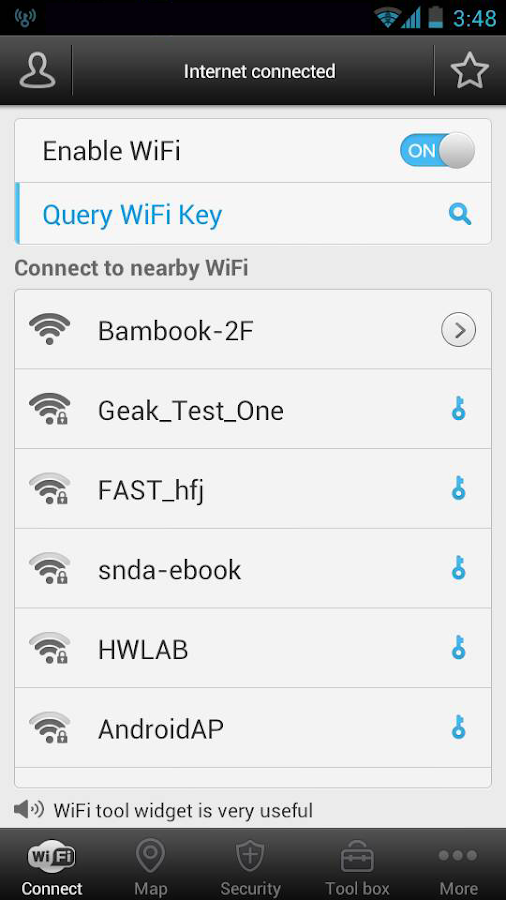
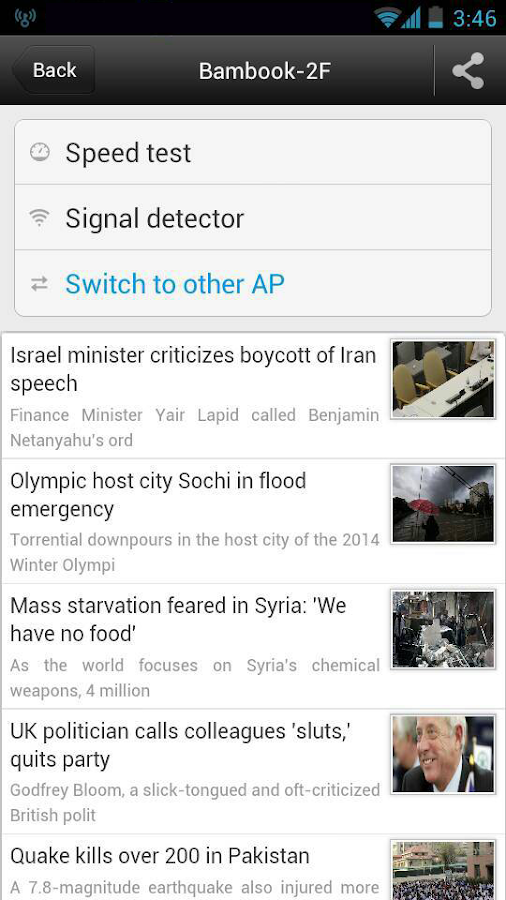
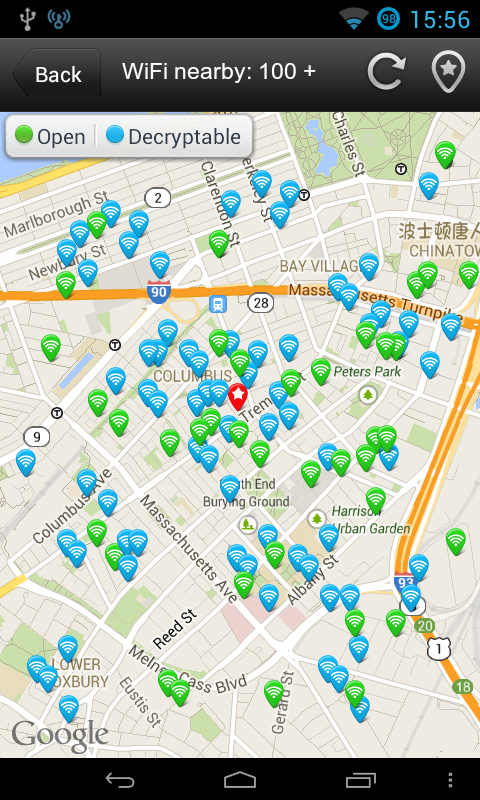
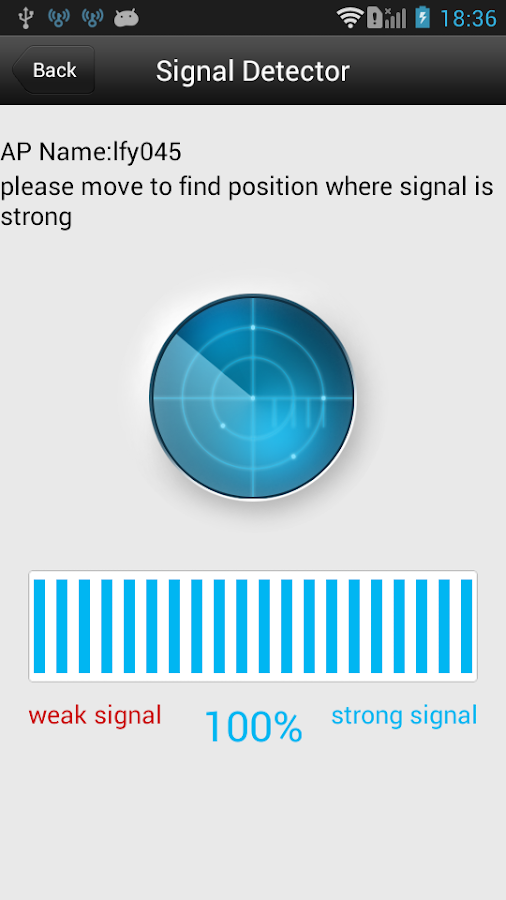
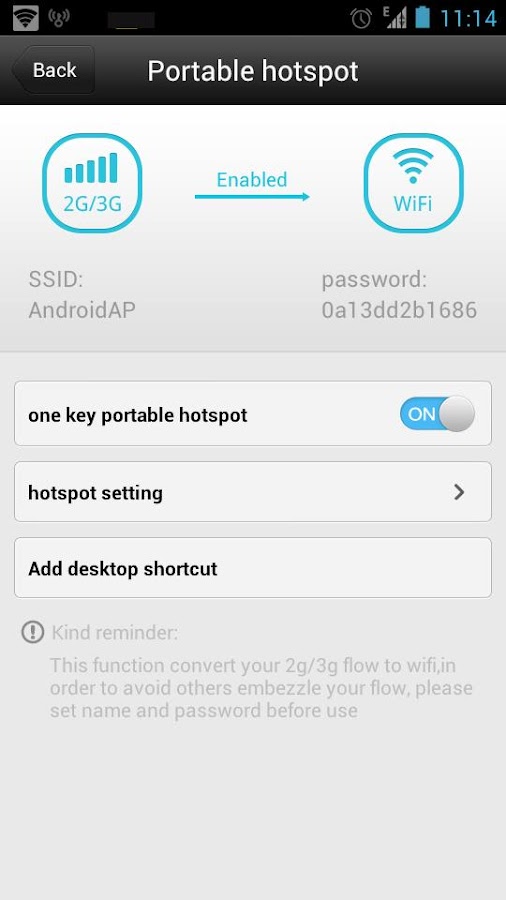
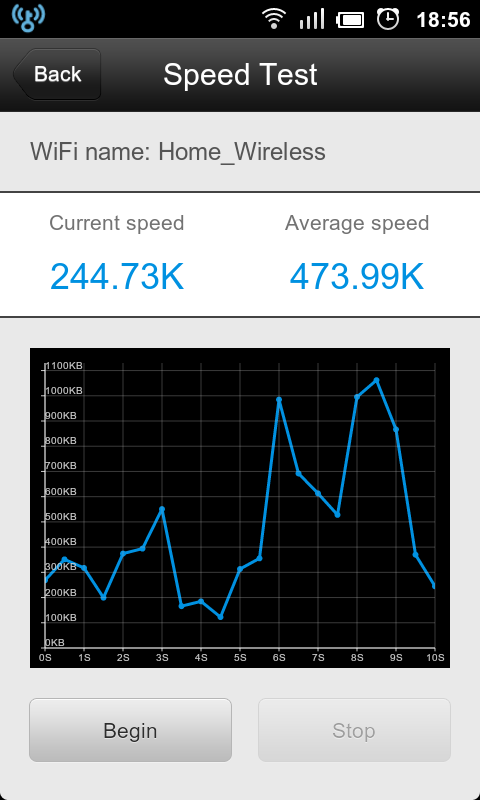
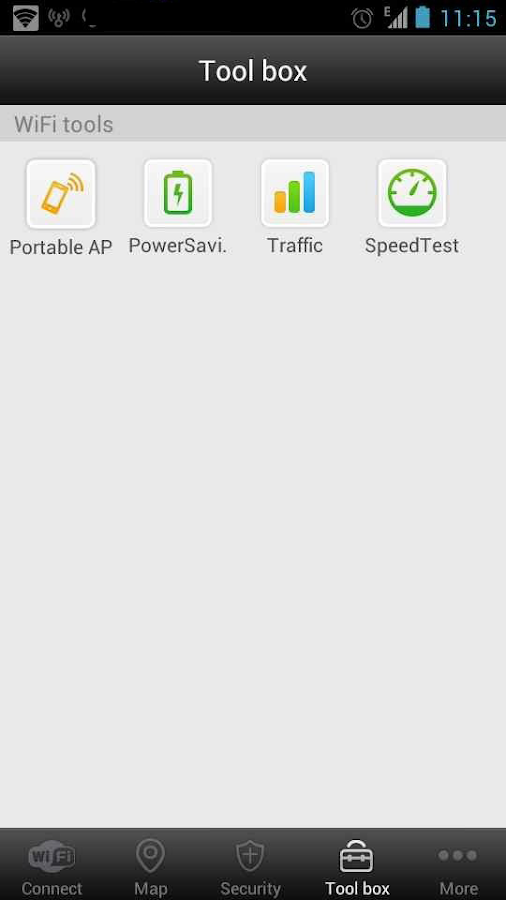
စမ္းတာကေတာ့ မနက္ျဖန္ Sunday က်မွဘဲ အျပင္သြားရင္စမ္းရမယ္ဗ်ာ။ သူ႕ရဲ႕လုပ္ေဆာင္ခ်က္ေလးက WiFi ဖြင့္ျပီး ဒီ Application ေလးကို Run လုိက္တာနဲ႕ Free WiFi ေတြကို လိုက္ရွာေပးျပီး လိုင္းအေကာင္းဆံုး မိမိနဲ႕အနီးဆံုးလိုင္းနဲ႕ အလိုေလွ်ာက္ခ်ိတ္ဆက္ေပးသြားမွာျဖစ္ပါတယ္ဗ်ာ။
 
 ကဲဗ်ာ ျမိဳ႕ထဲေတြမွာနဲ႕ Shopping Center ေတြမွာလိုမ်ိဳး WiFI ေတြအမ်ားၾကီး ျပန္႕ေနရင္ေတာ့ ဒါေလးနဲ႕အေကာင္းဆံုးေပါ့ဗ်ာ။
 
 Android OS 2.2 နွင့္အထက္ဖုန္းမ်ားမွာအသံုးျပဳႏိုင္မွာျဖစ္ပါတယ္ဗ်ာ။


WiFi Master - Free WiFi Finder - screenshot

WiFi Master - Free WiFi Finder - screenshot

WiFi Master - Free WiFi Finder - screenshot

WiFi Master - Free WiFi Finder - screenshot

WiFi Master - Free WiFi Finder - screenshot

WiFi Master - Free WiFi Finder - screenshot

WiFi Master - Free WiFi Finder - screenshot


ကြၽန္ေတာ္တုိ႔ အင္တာနက္လိုင္း ဖြင့္လုိက္တာနဲ႔ တျပဳိင္နက္ ဖုန္းမွာ ဗုိင္ဘာ ေဆာ့၀ဲလ္ ရွိရင္ အဲ့ ဗုိင္ဘာ က ေအာ္တုိ အြန္လုိင္း ေပၚမွာ ရွိေနေၾကာင္းျပပါတယ္။

ေဖ့ဘြတ္ မွာ (သုိ႔) ဂ်ီေတာ့မွာ Offline လုပ္ထားလည္း သင္ ဖုန္းနဲ႔ သုံးေနတာဆုိရင္ေတာ့ ဗုိင္ဘာေဆာ့၀ဲလ္ေၾကာင့္ သင္ အြန္လုိင္းေပၚ မွာ ရွိေၾကာင္း တစ္ဖက္က သင့္သူငယ္ခ်င္းက သိမွာ ျဖစ္ပါတယ္။

Viber က ၾကဴၾကဴေတြ ရန္က ကင္းေ၀းေအာင္ ဒီေဆာ့၀ဲလ္ေလး ေဆာင္ထားေပါ့ဗ်ာ

အသုံးျပဳပုံက ေဆာ့၀ဲလ္ ကုိ ေဒါင္းၿပီး အင္စေတာလုပ္၍ ဖြင့္လုိက္ပါ။

ေပၚလာရင္ ေအာက္နားမွာ Online လုိ႔ ေရးထားတဲ့ေနရာကုိ လက္နဲ႔ ဖိၿပီး Offline ေျပာင္းေပးရုံပါ။
ေအာက္က link ေတြကေန download လုပ္ႏိုင္ပါတယ္။

Download (zippyshare)

Download (sendspace)

Download (box)

Download (copy)

အားလံုးအဆင္ေျပၾကပါေစ..

credit>>>ျဖဴးသားေလး


Android ဖုန္းအားလုံးရဲ႕ Mobile Drivers မ်ားကုိ တစ္စုတစ္စည္းတည္းတင္ေပးလုိက္ပါတယ္။ ကုိယ့္ဖုန္းအမ်ိဳးအစားနဲ႕ကုိက္မယ့္ driver မ်ားကုိေအာက္မွာေရြးခ်ယ္ရယူနုိင္ပါတယ္။


Manufacturers
Models
Drivers
  • Galaxy SIII(S3),SII(S2),S,Note2,Note…
  • One X,One S,Desire,HD,Incredible…
  • Razy,Defy,Milestone…
  • Kindle Fire
  • Liquid A1,S110…
  • PadFone,Transformer Pad, Nexus7…
  • Dell
    Streak7…
  • Foxconn
    …
  • Fujitsu
    …
  • Hisense
    …
  • HUAWEI
  • LENOVO
    A750…
  • Optimus LTE,P970,P990,P930
  • MEIZU
    MX2,MX,M9…
  • KT Tech
    EV-S100…
  • COOLPAD
    W711,N930…
  • OPPO
    Finder x907,x905…
  • …
  • Pegatron
    …
  • SHARP
    SH-01D,SH8298U…
  • SONY
    Xperia X10,Xperia S,LT26i…
  • ZTE
    U880,V880…
  • XIAOMI
    M2,MI ONE,MI PLUS…