RSS
Facebook
Twitter

Showing posts with label Cleaner. Show all posts

Tuesday, 4 March 2014

ဒီဟာကုိေတာ့အားလုံးသိၾကတဲ့ အတုိင္းပါဘဲ Computer မွာမရွိမျဖစ္လုိအပ္ေနတဲ့ Software ေလးတစ္ခု
ျဖစ္ပါတယ္ ။ မသိေသးတဲ့သူမ်ားအတြက္ ဒီ Software ေလးကုိမိတ္ဆက္ေပးျခင္ပါတယ္ ဒီ Software ေလး
ရဲနာမည္ကေတာ့ CCleaner လုိေခၚပါတယ္ နာမည္နဲ႔လုိက္ေအာင္ Computer ေတြကုိ Clean လုပ္ေပးပါ
တယ္ Computer Clean တဲ့ Software မွာဒီ Software ေလးဟာနာမည္ရတဲ့ Software တစ္ပါဘဲလုိျခင္
တဲ့သူမ်ားေအာက္မွာေဒါင္းလုိက္ပါ ။ 


Thursday, 27 February 2014


ကြန္ျပဴတာ System နဲ႕ Internet Browser ေတြကို သန္႕ရွင္းေပးႏိုင္တဲ့ Cleaner ေတြထဲမွာေတာ့ CCleaner က နာမည္ၾကီး Cleaner တစ္ခုပါဘဲ။
 
 အခုလည္း Business Edition အေနနဲ႕ Version အသစ္ထြက္လာလို႕တင္ေပး လိုက္တာပါ။ PC System , Registry , အစရွိတဲ့အထဲက မလိုအပ္တာေတြကို ရွင္းလင္းေပးျပီး Error ေတြကို Fix လုပ္ေပးတဲ့အတြက္ မိမိရဲ႕ PC ကလည္းအသံုးျပဳရတာ အရင္ထက္ေပါ့ပါးေစမွာျဖစ္ပါတယ္။ 
 
သူ႕မွာ လည္း Uninstall Tool ပါတဲ့အတြက္ မလိုအပ္တဲ့ Software ေတြကို Uninstall လုပ္ေပးႏိုင္ပါတယ္။
 
 Window တက္ေနတုန္းမွာ Run မထားေစခ်င္တဲ့ Program ေတြကိုပိတ္ထားႏိုင္တဲ့အတြက္ Window အတက္လည္း ပိုျပီးျမန္လာေစမွာျဖစ္ပါတယ္။ 
 
လိုင္စင္အတြက္လည္း Serial Key ကိုထည့္ေပးထားပါတယ္ဗ်ာ။ DLL File ကိုလည္း ထည့္ေပးထားပါတယ္။ 
 
 "C:\Program Files\CCleaner" ထဲကို DLL File ကို Copy to Paste လုပ္ေပးလိုက္ရင္ Full Version အျဖစ္အသံုျပဳႏိုင္ပါျပီ။ 
 
အေသးစိတ္ကိုလည္းေအာက္မွာေရးေပးထားပါ တယ္။


Features
A Faster Computer

Browsing the internet your computer picks up a whole host of unnecessary files, cookies and history. The same thing happens when you run most programs on your computer – lots of temporary files and settings are saved. CCleaner removes these unused files and settings to free up valuable hard drive space, enabling your system to run faster. The default settings only focus on typical junk files and locations so you’re unlikely to lose important information unless you alter these. A Startup Cleaner also helps you to identify and remove unused programs running in the background when you start your computer. This makes the startup time shorter and puts less strain on your hard drive throughout use.
Less Crashes & System Errors
If you notice lots of system freezes, error messages and often experience crashes, the chances are your registry become cluttered with unused files and broken settings. CCleaner’s fully featured Registry Cleaner identifies these issues and fixes them. The registry analysis takes seconds and cleaning just a little bit longer. Prompts advise you when to save backups to avoid losing important data.
More Secure Browsing
Advertisers and websites track your behaviour online with cookies. Saved passwords, cached data and internet histories make your identity less secure. CCleaner removes these files to make your browsing experience confidential, meaning you are less likely to suffer from identity theft and/or online fraud. The military grade Drive Wiper ensures any data you want to be permanently deleted, stays deleted.
Customisable Cleaning
CCleaner Tools and Options tabs allow you to customise cleaning options to fit your needs. If you are not a savvy user, you might want to stick with the safe default settings. Advanced users can uninstall unwanted programs, select which cookies to save, customise cleaning settings and setup system monitoring.
Summary
CCleaner has earned its position at the top of the freeware cleaners offering the sort of features premium programs struggle to compete with. The clean, intuitive UI makes it one of the easiest programs to use, but don’t let its size and simplicity fool you. This is a powerful utility for improving your computers performance. Piriform’s regular update process means CCleaner is constantly improving and its popularity will continue to grow.

 **  Step-1.ေအာက္က Download Button ကိုႏွိပ္လိုက္ပါ  
**  Step-2. "5sec". ေလာက္ေစာင္႕ေပးပါ။

**  Step-3. "  << SKIP AD >>   ".ကိုႏွိပ္ေပးပါ။
**  Step-4. Download Link က်လာပါလိမ္႕မယ္။
**  အဆင္ေျပပါေစဗ်ာ။

Wednesday, 26 February 2014

ေခါင္းစဥ္ကိုဖတ္လို္က္တာနဲ႕တင္ဘဲ ေတာ္ေတာ္အသံုး၀င္မယ္ဆိုတာ သိၾကမယ္ထင္ပါတယ္။
 
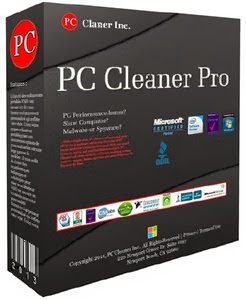
 Software ရဲ႕နာမည္က PC Cleaner ဆိုေပမယ့္ အျခားေသာ ကြန္ျပဴတာမွာအသံုးတည့္ေစမယ့္ လုပ္ေဆာင္ခ်က္ေပါင္း 15မ်ိဳးတိတိပါ၀င္ပါတယ္။ 
 
ကၽြန္ေတာ္သေဘာအက်ဆံုးလုပ္ေဆာင္ခ်က္သံုးခုရွိပါတယ္။
 
 အင္တာနက္ Speed ကိုျမွင့္တင္ေပးျခင္း ၊ ကြန္ျပဴတာ Speed ကိုျမွင့္တင္ေပးျခင္း ၊ Virus Protection စတဲ့ Feature သံုးခုကိုအၾကိဳက္ ဆံုးဘဲ။
 
 အင္တာနက္ Speed ျမွင့္တင္ေပးတာကေတာ့ ကၽြန္ေတာ္တို႕ျမန္မာႏိုင္ငံမွာအသံုးတည့္မွာပါ။
 
 အျခားအသံုးတည့္ေစမယ့္ Feature ေတြလည္းအမ်ားၾကီးပါ၀င္ပါတယ္။ 
 
 လုပ္ေဆာင္ခ်က္တစ္ခုခ်င္းစီရဲ႕ အေသးစိတ္ကိုေတာ့ ေအာက္မွာေရးျပေပးထားပါတယ္။ 
 
အျမဲတမ္းအသံုးျပဳႏိုင္ေအာင္ Full Version အျဖစ္ Serial Key ကုိပါထည့္ေပးလိုက္ပါတယ္။


Features
Registry Cleaner

PC Cleaner will remove unused and old entries, including File Extensions, ActiveX Controls, ClassIDs, ProgIDs, Uninstallers, Shared DLLs, Fonts, Help Files, Application Paths, Icons, Invalid Shortcuts and more.
Increase Your PC’s Performance
PC optimization is the quickest way to adjust your system settings at once. PC Cleaner will analyze your system & adjust your PC to function at its maximum potential performance.
Boost Your PC’s Speed
PC Cleaner will tweak your complete system to help boost your PC speed and overall system performance. You could have faster downloads, uploads, web surfing and more.
Certified Virus + Spyware Protection
Certified Antivirus Pro will scan your complete system for malicious threats including: viruses, spyware,. rogue programs, trojans, adware, rootkit, dialers, worms, parasites and other potentially harmful programs that may be installed on your computer.
Security Defense
PC Cleaner will scan and check for windows vulnerablities within Windows system. Windows Update is a service provided by Microsoft. Security updates or critical updates protect against vulnerabilities to malware and security exploits.
Clean Your System
In using a computer from day to day you're going to accumulate system clutter. You can significantly increase your PC performance & stability by removing these files.
Privacy Protection
PC Cleaner is designed to protect you by cleaning up all the unwanted history data on your computer which could also put you at risk of identity theft.
Internet Optimizer
PC Cleaner will automatically adjust your internet connections to increase super fast web surfing, faster downloads including: music , movies games and video downloads.
System Optimizer
PC System Optimizer is the fastest way to adjust all your system settings at once. The PC Optimizer works by determining what type of PC you have and what programs you have installed. Then it will adjust system settings so that your machine will function at its maximum capacity.
Memory Optimizer
PC Cleaner will optimize your memory and recover wasted memory (RAM), space and improve system performance.
Startup Manager
Startup Manger allows you control of what programs are launched when you start your computer. You can disable unnecessary programs that are slowing you down.
Uninstall Manager
This feature lets you easily uninstall applications that you don't want you your computer.
BHO Manager
Stabilize your browser and speed up web efficiency by managing Browser Helper Objects and Plugins.
ActiveX Manager
Many ActiveX controls are actually beneficial, but malicious programs frequently use ActiveX controls in order to embed themselves on your system through browser security exploits or compromised security settings. PC Cleaner's definition database contains a comprehensive list of malicious ActiveX objects, which will be automatically loaded to the blocked list. This file is updated continuously by our definitions team.
Duplicate File Remover
PC Cleaner Duplicate File Remover will easily find and remove duplicates and help you reclaim valuable disk space and improve data efficiency. Duplicate files are in most cases redundant and unnecessary, so keeping them is merely a waste of hard disk space.


 **  Step-1.ေအာက္က Download Button ကိုႏွိပ္လိုက္ပါ  

**  Step-2. "5sec". ေလာက္ေစာင္႕ေပးပါ။

**  Step-3. "  << SKIP AD >>   ".ကိုႏွိပ္ေပးပါ။

**  Step-4. Download Link က်လာပါလိမ္႕မယ္။

**  အဆင္ေျပပါေစဗ်ာ။

Sunday, 23 February 2014


မဂၤလာပါဗ်ာ သန္.ရွင္းေရးေဆာ့၀ဲလ္ေကာင္းေလးေတြရွာေနသူမ်ားအတြက္ အမွန္တကယ္ သင့္ကြန္ျပဴတာ ေလးကို ဖလန္းဖလန္းထသြားေအာင္ ရွင္းလင္းေပးမဲ့ Glary Utilities ဆိုတဲ့ေဆာ့၀ဲလ္ေလးတင္ေပးလိုက္ပါ တယ္
 
 သူ.မွာအမွန္အကန္အသံုး၀င္မဲ့ premium tool ေပါင္း 20 ေက်ာ္ပါ၀င္ ျပီး ကြန္ျပဴတာ performance
ပိုင္းကို အေကာင္းဆံုးလွ်င္ျမန္မွုရရွိေအာင္ ျပဳျပင္ေပးနိုင္မွာျဖစ္ပါတယ္ အသံုးျပဳရတာလဲ လြယ္ကူျပီးလုပ္ ေဆာင္ခ်က္အပိုင္းမွာ လွ်င္ျမန္လွတာေၾကာင့္ သံုးဖူးရင္ၾကိဳက္သြားမွာေသခ်ာပါတယ္ 
 
အထဲမွာ keyဖိုင္ေလး ထည္.ေပးလိုက္တာေၾကာင့္ လဲ full version အျဖစ္သံုးနိုင္မွာျဖစ္တဲ့ အတြက္ လိုခ်င္သူမ်ားေအာက္မွာသာ ေဒါင္းသြားလိုက္ပါ...........................
 
အားလံုးပဲအဆင္ေျပပါေစဗ်ာာာာာာ
                                                                                                       (ျမန္မာျပည္လူငယ္)


Saturday, 22 February 2014


CCleaner အသံုးျပဳၾကတဲ့သူငယ္ခ်င္းမ်ားအတြက္ Final Version 4.10.4570 ကို Activator ေလးနဲ႔တြဲတင္
ေပးလိုက္ပါတယ္။Windows PC မွာေတာ့ CCleaner ကစက္သန္႔ရွင္းတဲ့ေနရာမွာ number-one လို႔ဆို
ထားပါတယ္။USB thumbdrive ကအစရွင္းလင္းႏိုင္ပါတယ္။လူတိုင္းသိေနတဲ့ေဆာ့စ္၀ဲျဖစ္လို႔မရွင္းေတာ့
ပါဘူး။အင္စေတာလုပ္တဲ့အခါအင္တာနက္ကြန္နရွင္ကိုခဏပိတ္ထားပါ။အင္စေတာလုပ္ျပီးသြားရင္မဖြင့္
ပါနဲ႔အုန္းဖိုင္ထဲမွာရွိေနတဲ့ Activator ေလးကို run လိုက္ပါ။ျပီးရင္ဘာေတြဆက္လုပ္ရမလဲဆိုတာေဒါင္း
ေလာ့စ္ဖိုင္ထဲမွာရွင္းျပထားပါတယ္။ဖိုင္ဆိုဒ္ကေတာ့ 4Mb ပါပဲ၀င္းဒိုးအားလံုးမွာအသံုးျပဳႏိုင္ပါတယ္။


-------[Description]-----------------------------------
CCleaner is the number-one tool for cleaning your Windows PC. It protects your privacy online and makes your computer faster and more secure. CCleaner is easy to use and a small, fast download and user interface has the modern look. CCleaner is a freeware system optimization and privacy tool. Removes unused files from your system – allowing Windows to run faster and freeing up valuable hard disk space. It also cleans traces of your online activities such as your Internet history. CCleaner can run from a USB thumbdrive and be installed/run on a computer without a complicated setup process. It is possible to specify files, folders and registry keys to ignore from the cleaning process. But the best part is that it’s fast (normally taking less than a second to run) and contains NO Spyware or Adware!


-------[Features]--------------------------------------
cleans the following:
• Internet Explorer. Temporary files, history, cookies, super cookies, Autocomplete form history, index.dat files.
• Firefox. Temporary files, history, cookies, super cookies, download history, form history.
• Google Chrome. Temporary files, history, cookies, super cookies, download history, form history.
• Opera. Temporary files, history, cookies, super cookies, download history.
• Apple Safari. Temporary files, history, cookies, super cookies, form history.
• Other Supported Browsers. K-Meleon, Rockmelt, Flock, Google Chrome Canary, Chromium, SeaMonkey, Chrome Plus, SRWare Iron, Pale Moon, Phoenix, Netscape Navigator, Avant and Maxthon.
• Windows. Recycle Bin, Recent Documents, Temporary files, Log files, Clipboard, DNS Cache, Error Reporting, Memory Dumps, Jump Lists.
• Registry Cleaner. Advanced features to remove unused and old entries, including File Extensions, ActiveX Controls, ClassIDs, ProgIDs, Uninstallers, Shared DLLs, Fonts, Help Files, Application Paths, Icons, Invalid Shortcuts and more…
• Third-party applications. Removes temp files and recent file lists (MRUs) from many apps including Windows Media Player, eMule, Google Toolbar, Microsoft Office, Nero, Adobe Acrobat, WinRAR, WinAce, WinZip and many more…


-------[Requirements]----------------------------------
Os: Windows XP, Vista, Windows 7, Windows 8. Including both 32-bit and 64-bit versions.


-------[What's New in This Release]--------------------
- Improved Firefox 26 cleaning.
- Improved Firefox extension management.
- Improved Shutdown after cleaning and /SHUTDOWN command-line.
- Added new cleaning scheduler (CCleaner Professional only).
- Added Facebook Metro, Picasa 3, Spotify, Wondershare Video Converter Ultimate, Kingsoft Office 2013 and Sublime Text cleaning.
- Improved Audacity cleaning.
- Improved localization and language support.
- Minor GUI improvements and bug fixes.

HomePage - http://www.piriform.com/ccleaner


[Install Notes]
==> Read InsTrucTions.text


http://dl-16.one2up.com/onetwo/content/2014/2/21/fa81e6b7fa6e77086771611af19a53b2.rar 
(or)

https://doc-08-3k-docs.googleusercontent.com/docs/securesc/422plh7a9k0utjc7r8nijmsfv2tpd1qh/0mtagfoi4hh7vi5ek63q0spe5pkuosu7/1392948000000/08765043313095911771/08765043313095911771/0BwxPZhtkhQ_kaEVtYkNMeTFIUHc?h=16653014193614665626&e=download 

Wednesday, 19 February 2014

                 ဖူးဘားရွင္းအတြက္လည္းအထဲမွာ Serial ဖိုင္ေလးထည့္ေပးထားပါတယ္ သူငယ္ခ်င္း PC Cleaner Pro 2014 full version ေလးကို သံုးခ်င္တယ္ဆိုရင္ေတာ့ေအာက္မွာေဒါင္းယူသြားႏိုင္ပါတယ္

 ဖူးဘားရွင္းျဖစ္ဖို႔အတြက္
၁။ Register now ကိုႏွိပ္ျပီး Serial ကီးဖိုင္းကိုထည့္ေပးရမွာပါ
၂။ကီးထည့္ျပီးသာနဲ႔ Activate ႏွိပ္ေပးလိုက္ပါ
ဒါဆိုရင္ဖူးဘားရွင္းျဖစ္သြားျပီ

 
အဆင္ေျပၾကပါေစ

                                                          DOWNLOAD LINK 1

                                      DOWNLOAD LINK 2


Thursday, 30 January 2014


ေခါင္းစဥ္ကိုဖတ္လို္က္တာနဲ႕တင္ဘဲ ေတာ္ေတာ္အသံုး၀င္မယ္ဆိုတာ သိၾကမယ္ထင္ပါတယ္။
 Software ရဲ႕နာမည္က PC Cleaner ဆိုေပမယ့္ အျခားေသာ ကြန္ျပဴတာမွာအသံုးတည့္ေစမယ့္ လုပ္ေဆာင္ခ်က္ေပါင္း 15မ်ိဳးတိတိပါ၀င္ပါတယ္။ 

ကၽြန္ေတာ္သေဘာအက်ဆံုးလုပ္ေဆာင္ခ်က္သံုးခုရွိပါတယ္။ အင္တာနက္ Speed ကိုျမွင့္တင္ေပးျခင္း ၊ ကြန္ျပဴတာ Speed ကိုျမွင့္တင္ေပးျခင္း ၊ Virus Protection စတဲ့ Feature သံုးခုကိုအၾကိဳက္ ဆံုးဘဲဗ်ာ။ အင္တာနက္ Speed ျမွင့္တင္ေပးတာကေတာ့ ကၽြန္ေတာ္တို႕ျမန္မာႏိုင္ငံမွာအသံုးတည့္မွာပါ။ 

အျခားအသံုးတည့္ေစမယ့္ Feature ေတြလည္းအမ်ားၾကီးပါ၀င္ပါတယ္။ လုပ္ေဆာင္ခ်က္တစ္ခုခ်င္းစီရဲ႕ အေသးစိတ္ကိုေတာ့ ေအာက္မွာေရးျပေပးထားပါတယ္။ 

အျမဲတမ္းအသံုးျပဳႏိုင္ေအာင္ Full Version အျဖစ္ Serial Key ကုိပါထည့္ေပးလိုက္ပါတယ္။

 Download


Tuesday, 14 January 2014


PC Cleaner Pro ဆိုတဲ့ေဆာ့၀ဲေလး Update Version ရလာလို႔
တင္ေပးလိုက္ပါတယ္ဗားရွင္း PC Cleaner Pro PC Cleaner Pro 2014 12.0.13.11.15ပါ 
 
Full Version အျဖစ္ အသံုးျပဳႏိုင္ေအာင္ Keygen ဖုိင္ထည့္ေပးထားပါတယ္ေဆာ့၀ဲကို Install
 မလုပ္ခင္အင္တာနက္ကြန္နက္ရွင္ကိုပိတ္ေပးထားရပါမယ္ၿပီးရင္ ေဆာ့၀ဲကို Install လုပ္ပါပ႐ိုဂရမ္ကို
 Run လိုက္တာနဲ႔ Full Version မျဖစ္ေသးတဲ့အတြက္ ဘယ္ဖက္ေအာက္ေဒါင့္နားမွာRegister ဆိုတဲ့
 Button ေလးေပၚေနပါမယ္ 
 
အဲဒါေလးကိုႏွိပ္လိုက္ရင္ ပြင့္လာတဲ့အကြက္ထဲမွာ ထည့္ရမယ့္ Serial 
ကို keygen ဖိုင္ကို Run ၿပီးရလာတဲ့ Serial key တစ္ခုခုကို ထည့္ေပးလိုက္တာနဲ႔ Full Version ျဖစ္သြားၿပီး Register ဆိုတဲ့ Button ေလး ေပ်ာက္သြား
 
ပါမယ္ကဲ ေဆာ့၀ဲကုိေတာ့ ေအာက္မွာ ေဒါင္းယူႏိုင္ပါတယ္..
 
  Download >>> tusfiles (or) usersfiles (or) davvas


Saturday, 7 December 2013

Auslogics Registry Cleaner

Auslogics Registry Cleaner  ေဆာလ္ဝဲေလးလာပါၿပီဗ်ာ။
မိမိတို႔ ရဲ႕ စက္မွာ အမိူက္ေတြ..အဲရာ..ေတြရွင္းတဲ႔ေနရာမွာ ရုိးရွင္းၿပီး
သံုးရလြယ္ကူတဲ႔ Auslogics Registry Cleaner ေလးပါမရွိေသးတဲ႔
ေဘာ္ဒါမ်ားေဆာင္ထားေနာ္ ဖိုင္ဆိုဒ္ကလဲ 5 mb ပဲရွိတယ္ဗ်ာ။
PC အလုပ္လုပ္ေႏွးေနရင္ဒီေကာင္ေလးနဲ႔ သာ Clean လုိက္ပါ သိသိသာသာၿမန္
ၿမန္ဆန္ေစမွာၿဖစ္ပါတယ္။အဆင္မေၿပရင္ေၿပာခဲ႔ပါေနာ္။
                                         
                                                Download


မိမိတို႔ ရဲ႕ ကြန္ၿပဴတာမွ မလိုလားအပ္တဲ႔ အမိူက္မ်ားနဲ႔
Internat Browser အမ်ဳိးမ်ိဳးမွ Temporary files, မ်ား နဲ႔
history, cookies တို႔အစရွိသည္ အရာမ်ားကိုရွင္းလင္းေပးတဲ႔
CCleaner 4.06.4324 PRO ေလးၿဖစ္ပါတယ္။ခဏခဏရွင္းေပးစရာ
မလိုပဲ တစ္ပတ္တစ္ခါရွင္းယံုမွ်နဲ႔ သင္႔ရဲ႕ကြန္ၿပဴတာကိုၿမန္ဆန္ေစရုံ
သာမက  အင္တာနက္ လိုင္းကိုပါ သိသာစြာၿမန္ဆန္ေစ
မွာၿဖစ္ပါတယ္ဗ်ာ။ကြန္ၿပဴတာကိုင္တဲ႔ သူငယ္ခ်င္းမ်ားေဆာင္ထား
သင္႔တယ္ထင္လို႔က်ေနာ္တင္ေပးလိုက္တာပါ။


                                         Download

                                                               အိုင္တီအိမ္မက္

YeahBit PC SpeedUp 2.2.8 + Serial


ကြန္ၿပဴတာရဲ႕ ၿမန္ႏူန္းကိုၿမွင္႔တင္ေပးတဲ႔ YeahBit PC SpeedUp 2.2.8 ေလးတင္ေပးလိုက္ပါတယ္။

မိမိတို႔ရဲ႕ ကြန္ၿပဴတာမွာအမိူက္မ်ားကိုရွင္းလင္းေပးၿပီး ကြန္ၿပဴတာရဲ႕ ၿမန္ႏူန္းကို
ၿမွင္႔ေစမွာၿဖစ္ပါတယ္။


ခဏခဏအသံုးၿပဳစရာမလိုပဲတစ္ပါတ္တစ္ခါေလာက္အသံုးၿပဳရုံနဲ႔
မိမိတို႔ရဲ႕ ကြန္ၿပဴၿမန္ႏူန္းၿမွင္႔ေစမွာၿဖစ္ပါတယ္။


ဖိုင္ဆိုဒ္ကလဲ 3.MB ပဲရွိလိုအဆင္ေၿပေၿပေဒါင္းယူႏုိင္ပါတယ္။

                                                  Download

                                                                            အိုင္တီအိမ္မက္

System Speed Booster 3.0.6.6 Full


System Speed Booster 3.0.6.6 
 
System Speed Booster ရဲ့ေနာက္ဆံုးထြက္ဗားရွင္းကို ကြန္ျပဳတာမွာ စက္ေလးျခင္း ၊ error ျဖစ္ေနတဲ့သူငယ္ခ်င္းတို့အတြက္တင္ေပးလိုက္ပါတယ္၊
 
ဒီေဆာ့လ္ဝဲ window os တစ္ခုလံုးကို ထိန္းသိမ္းျပဳျပင္ေပးရံုသာမက error မ်ားကိုလည္းရွာေဖြေပးပါတယ္၊ကိုယ္ပိုင္အခ်က္အလက္မ်ားကို ကာကြယ္ေပးျပီး စက္ကိုျမန္ဆန္ေအာင္လည္းစြမ္းေဆာင္ေပးႏုိင္ပါတယ္၊
 
ဒီေဆာ့လ္ဝဲကို Window XP, Vista, 7, 8 တင္ထားတဲ့စက္မွာအသံုးျပဳႏိုင္ပါတယ္၊ျပီးေတာ့ ဒီေဆာ့လ္ဝဲအသံုးျပဳျခင္း၏ေကာင္းတဲ့အခ်က္ ၄ ခ်က္ကိုေအာက္မွာဖတ္ႏုိင္ပါတယ္၊အားလံုး အဆင္ေျပပါေစ။
Download >> Link 1 / Link 2


Saturday, 30 November 2013


မိတ္ေဆြတို႔ရဲ႕ ကြန္ပ်ဳတာကို အၿမဲတမ္းသြက္လက္ေနေစဖို႔ ရွင္းလင္းေရးလုပ္ေပးမယ့္ Wise Care 365 Pro ေလးပါ။။ သံုးရတာလြယ္ကူၿပီး အင္မတန္ထိေရာက္တဲ့ ေဆာ့ဝဲလ္ေကာင္းေလးပါ
ဖိုင္ဆိုဒ္လည္းေသးပါတယ္ ေဆာင္ထားသင့္တဲ့ ေဆာ့ဝဲလ္ဆိုရင္လည္း မမွားပါဘူး။ လိုခ်င္တဲ့သူမ်ား ေအာက္ကလင့္မွာ ယူသြားလိုက္ပါဗ်ာ သူရဲ႕လုပ္ေဆာင္ခ်က္ေတြ ျပည့္ျပည့္စံုစံုကို ေအာက္မွာဆက္ဖတ္ လိုက္ပါအံုး


What can Wise Care 365 do:


  •     Clean up, defragment and optimize the Windows Registry.
  •     Defragment and free up space on your hard disk.
  •     Protect your privacy by erasing personal tracking data.
  •     Recover lost files.
  •     Hide important files or folders.
  •     Prevent unauthorized use of personal applications.
  •     Auto shut down your PC.
  •     Free up Memory to boost game and enterprise software performance.
  •     Simple "One Click Tune-up" option will optimize your PC.
  •     OS : Windows XP, 2003, 2008, Vista, win 7 and win 8 including 32 and 64 bits.
  •     Language : Multilanguage.

http://www70.zippyshare.com/v/24839990/file.html


Monday, 25 November 2013


25 ရက္ေန႔မွာ အသစ္ထြက္လာတဲ့  CCleaner  ေလးကုိတင္ေပးလိုက္ပါတယ္
အမ်ားေသာအားျဖင့္ေတာ့ဒီေကာင္ေလးကိုသိၾကပါတယ္။
မိမိတို့ကြန္ပ်ဴတာသန့္၇ွင္းေ၇းလုပ္ေပးဖို့အတြက္ဒီေကာင္ေလးကိုမျဖစ္မေနသံုးစြဲသင့္ပါတယ္
Free ဗားရွင္းကတည္း နာမည္ၾကီးေနျပီးေတာ့ အခု Pro ဗားရွင္း 
ပုိျပီးေတာ ့လုပ္ေဆာင္ခ်က္ေတြစံုလင္လာပါတယ္ ျပီးေတာ့ ၀င္းဒုိး 8 မွာလညး္ အသံုးျပဳလို႔ရပါတယ္
မိမိတို့၇ဲ့ကြန္ပ်ဴတာကိုသန့္သန့္၇ွင္း၇ွင္းေလးနဲ့ေပါ့ေပါ့ပါးပါး
သံုးခ်င္သူေတြအေနနဲ့ဒီေကာင္ေလးကိုေဆာင္ထားသင့္ပါတယ္
အသံုျပဳမယ္ဆို ေအာက္ကလိပ္စာမွာရယူနုိင္ပါတယ္ 


CCleaner Professional v4.08.4428 ေလး အသစ္ထြက္လာလို႕တင္ေပးလိုက္ပါတယ္။ CCleaner ကို လူတိုင္း သိျပီး သား လို႕က်ေနာ္ ထင္ပါတယ္။ ဒါေၾကာင့္ အေထြထူး မရွင္းေတာ့ပါဘူးေနာ္။ full သံုးလို႕ရေအာင္ key ပါ တင္ေပးထားပါတယ္။ 

ေဆာ၀ဲကို install ျပီးရင္ အင္တာနက္ကြန္နက္ရွင္ ပိတ္ျပီး key ထည့္ပါ။ Key ထည့္ပံုကေတာ့ Ccleaner ကို ဖြင့္ပါ။ ျပီးရင္ Options / About ထဲမွာ Key ကို အင္တာနက္ခန ပိတ္္ျပီး Key ကိုထည့္ပါ။ ျပီးရင္ေတာ့ Full Version ျဖစ္ပါျပီ။ 

စိတ္၀င္စားေသာသူငယ္ခ်င္းမ်ား ေအာက္ကလင့္မွာ ေဒါင္းယူူနိုင္ပါျပီ။


 အားလံုးအဆင္ေျပပါေစ.......။

Friday, 22 November 2013


ဒီေဆာ့ဝဲလ္ေလးကေတာ့ မိမိတို႔ရဲ႕ ကြန္ပ်ဴတာကို သြက္လက္ ျမန္ဆန္ေအာင္ လုပ္ေပးႏိုင္တဲ့ PC TuneUp တူးေလး တခုပါပဲ..။
 
 ဒီေကာင္ေလးကို ဖူးသံုးလို႔ ရေအာင္ ကီးေတြ ထည့္ေပးရမွာ ျဖစ္ျပီး ေအာက္မွာလည္း ပံုေလးေတြနဲ႔ပါ အသံုးျပဳတတ္ေအာင္ အနည္းငယ္ လုပ္ျပေပးထားပါတယ္..။ 
 
ဒီေကာင္ေလးက ေဆာ့ဝဲလ္ေသးသေလာက္ အသံုးျပဳလို႔ ရတဲ့ Features ေတြ ေတာ္ေတာ္မ်ားပါတယ္..။ တခုစီ အသံုးျပဳတတ္ဖို႔ကိုေတာ့ မိမိကို္ယ္တိုင္သာ စမ္းသံုးၾကည့္ရမွာ ျဖစ္ပါတယ္..။ 
 
က်ေနာ္ကေတာ့ ဒီပိုစ့္မွာ Features ၂-ခုကိုပဲ နမူနာ သံုးျပေပးထားပါတယ္..။ ဒီေဆာ့ဝဲလ္ေလးမွာ ပါဝင္တဲ့ အသံုးျပဳလို႔ ရတဲ့ Features ေတြကေတာ့ REGISTRY CLEANER, HARD DRIVE CLEANER, PRIVACY CLEANER, STARTUP MANAGER, FILE SHREDDER, FILE ENCRYPTER, DESKTOP LOCK, RESTORE POINT CLEANER, PREFETCH CLEANER, PROCESS MANAGER, UNISTALLER, FOLDER BACKUP, တို႔ပဲ ျဖစ္ပါတယ္..။
 
 အသံုးျပဳလိုတဲ့ သူမ်ားကေတာ့ ေအာက္ကလင့္ကေန ေဒါင္းယူလိုက္ပါဗ်ာ..။ ဖိုင္ဆိုဒ္ကေတာ့ 4.3 MB ရွိပါတယ္..။


 Install ထည့္ျပီးတာနဲ႔ ေအာက္ကပံုေလးေတြအတိုင္း ဒီေကာင္ေလးကို ကီးေတြ ထည့္ေပးလိုက္ရင္ ဖူးသံုးလို႔ ရသြားပါျပီ..။


ဖူးျဖစ္သြားလို႔ အသံုးျပဳတဲ့ အခါမွာေတာ့ ေအာက္ကပံုေလးမွာ ျမင္ေနရတဲ့ ပံုေလး ၄-ပံုကို ကလစ္ျပီး Features တခုစီကို ေရြးယူ အသံုးျပဳႏိုင္ပါျပီ..။ 


က်ေနာ္ကေတာ့ ေအာက္ကပံုေလးအတိုင္း Startup Manager ကို အရင္ အသံုးျပဳျပထားပါတယ္..။


ေအာက္ကပံုေလးအတိုင္း ေပၚလာတဲ့အခါမွာေတာ့ မိမိတို႔ ဝင္းဒိုးအတက္မွာ မေပၚေစခ်င္တဲ့ ေဆာ့ဝဲလ္ေလးကို တခ်က္ကလစ္ျပီး Delete နဲ႔ ဖ်က္ပစ္လိုက္ပါ..။


အေပၚကပံုေလးေတြ အတိုင္း မေပၚေစခ်င္တဲ့ တခုစီကို လုိက္ဖ်က္ပစ္ျပီးရင္ေတာ့ ေအာက္ကပံုမွာ က်ေနာ္ ေပၚေစခ်င္တဲ့ ေဆာ့ဝဲလ္ေလးေတြကို မဖ်က္ပဲ ဒီအတိုင္း ထားခဲ့လိုက္ပါတယ္..။ ဒါဆိုရင္ ဒီ Features ေလးတခုကို အသံုးျပဳတတ္ပါျပီ..။


ေနာက္တခုမွာေတာ့ က်ေနာ္ Hard Disk ကို ေအာက္ကပံုေလးအတိုင္း Clean လုပ္ပါတယ္..။


အေပၚကပံုအတိုင္း အမွန္ျခစ္ ၂-ခု ထည့္ေပးျပီး Scan နဲ႔ စစ္ပါတယ္..။
 
 ဒီမွာ ေရးထားတဲ့ စာကေတာ့ မိမိတို႔ ဟတ္ဒစ္ထဲမွာ ရွိတဲ့ ဝင္းဒိုးအပါအဝင္ အပိုင္းအားလံုးမွာ ရွိတဲ့ ဖိုင္ေတြထဲက ဗလာဖိုင္ေတြနဲ႔ ဗလာျဖစ္ေနတဲ့ ဖိုဒါေတြကို ဒီေကာင္ေလးက လိုက္စစ္ထုတ္ျပီး အလိုလို ဖ်က္ပစ္ေပးမွာပဲ ျဖစ္ပါတယ္..။
 
 ေဆာ့ဝဲလ္ေတြကို Uninstall နဲ႔ ထုတ္ပစ္ျပီးတဲ့ အခါမွာ အဲ့ဒီေဆာ့ဝဲလ္ေတြရဲ႕ ဖိုင္အခြန္ေတြ က်န္ေနတတ္တဲ့ ဖိုင္၊ဖိုဒါေတြကို လိုက္ဖ်က္ေပးတာပါပဲ..။ တနည္းအားျဖင့္ ဟတ္ဒစ္မွာ မလိုအပ္တဲ့ ဖိုင္အပိုေတြကို ရွင္းပစ္ေပးတာပါ..။
 
 ေအာက္ကပံုေလးအတိုင္း တခုစီ စစ္ထုတ္ျပီး၊ စစ္ျပီးတာနဲ႔ အဲ့ဒီဖိုင္ေတြကို အလိုလို ဖ်က္ပစ္လိုက္ပါတယ္..။ ေအာက္ကပံုေလးေတြ အတိုင္းပါ..။  


အေပၚမွာ အပိုင္း (C:) ျပီးသြားေတာ့ ေအာက္ကပံုေလးအတိုင္း အပိုင္း (J:) ကို ထပ္စစ္ေပးေနတာပါ..။


 အေပၚကပံုအတိုင္း Search Finished ဆိုရင္ေတာ့.. ဒီ Features ေလးကို ပိတ္ပစ္ျပီး ေနာက္ Features ေတြကို ဆက္လက္ အသံုးျပဳႏိုင္ပါတယ္..။ ဒီပိုစ့္မွာေတာ့ က်ေနာ္ ဒီေလာက္ပဲ အသံုးျပဳျပေပးထားပါတယ္..။ တျခား အသံုးဝင္တဲ့ Features ေတြကိုေတာ့ မိမိတို႔ကို္ယ္တိုင္ပဲ ေလ့လာ အသံုးျပဳေပးပါ..။ အားလံုးပဲ အဆင္ေျပပါေစ..။


Credit ; လြင္မင္းဗိုလ္


ဒီေဆာ့ဝဲလ္ေလးကေတာ့ မိမိတို႔ရဲ႕ ကြန္ပ်ဴတာကို သြက္လက္ ျမန္ဆန္ေအာင္ လုပ္ေပးႏိုင္တဲ့ PC TuneUp တူးေလး တခုပါပဲ..။
 
 ဒီေကာင္ေလးကို ဖူးသံုးလို႔ ရေအာင္ ကီးေတြ ထည့္ေပးရမွာ ျဖစ္ျပီး ေအာက္မွာလည္း ပံုေလးေတြနဲ႔ပါ အသံုးျပဳတတ္ေအာင္ အနည္းငယ္ လုပ္ျပေပးထားပါတယ္..။ 
 
ဒီေကာင္ေလးက ေဆာ့ဝဲလ္ေသးသေလာက္ အသံုးျပဳလို႔ ရတဲ့ Features ေတြ ေတာ္ေတာ္မ်ားပါတယ္..။ တခုစီ အသံုးျပဳတတ္ဖို႔ကိုေတာ့ မိမိကို္ယ္တိုင္သာ စမ္းသံုးၾကည့္ရမွာ ျဖစ္ပါတယ္..။ 
 
က်ေနာ္ကေတာ့ ဒီပိုစ့္မွာ Features ၂-ခုကိုပဲ နမူနာ သံုးျပေပးထားပါတယ္..။ ဒီေဆာ့ဝဲလ္ေလးမွာ ပါဝင္တဲ့ အသံုးျပဳလို႔ ရတဲ့ Features ေတြကေတာ့ REGISTRY CLEANER, HARD DRIVE CLEANER, PRIVACY CLEANER, STARTUP MANAGER, FILE SHREDDER, FILE ENCRYPTER, DESKTOP LOCK, RESTORE POINT CLEANER, PREFETCH CLEANER, PROCESS MANAGER, UNISTALLER, FOLDER BACKUP, တို႔ပဲ ျဖစ္ပါတယ္..။
 
 အသံုးျပဳလိုတဲ့ သူမ်ားကေတာ့ ေအာက္ကလင့္ကေန ေဒါင္းယူလိုက္ပါဗ်ာ..။ ဖိုင္ဆိုဒ္ကေတာ့ 4.3 MB ရွိပါတယ္..။


 Install ထည့္ျပီးတာနဲ႔ ေအာက္ကပံုေလးေတြအတိုင္း ဒီေကာင္ေလးကို ကီးေတြ ထည့္ေပးလိုက္ရင္ ဖူးသံုးလို႔ ရသြားပါျပီ..။


ဖူးျဖစ္သြားလို႔ အသံုးျပဳတဲ့ အခါမွာေတာ့ ေအာက္ကပံုေလးမွာ ျမင္ေနရတဲ့ ပံုေလး ၄-ပံုကို ကလစ္ျပီး Features တခုစီကို ေရြးယူ အသံုးျပဳႏိုင္ပါျပီ..။ 


က်ေနာ္ကေတာ့ ေအာက္ကပံုေလးအတိုင္း Startup Manager ကို အရင္ အသံုးျပဳျပထားပါတယ္..။


ေအာက္ကပံုေလးအတိုင္း ေပၚလာတဲ့အခါမွာေတာ့ မိမိတို႔ ဝင္းဒိုးအတက္မွာ မေပၚေစခ်င္တဲ့ ေဆာ့ဝဲလ္ေလးကို တခ်က္ကလစ္ျပီး Delete နဲ႔ ဖ်က္ပစ္လိုက္ပါ..။


အေပၚကပံုေလးေတြ အတိုင္း မေပၚေစခ်င္တဲ့ တခုစီကို လုိက္ဖ်က္ပစ္ျပီးရင္ေတာ့ ေအာက္ကပံုမွာ က်ေနာ္ ေပၚေစခ်င္တဲ့ ေဆာ့ဝဲလ္ေလးေတြကို မဖ်က္ပဲ ဒီအတိုင္း ထားခဲ့လိုက္ပါတယ္..။ ဒါဆိုရင္ ဒီ Features ေလးတခုကို အသံုးျပဳတတ္ပါျပီ..။


ေနာက္တခုမွာေတာ့ က်ေနာ္ Hard Disk ကို ေအာက္ကပံုေလးအတိုင္း Clean လုပ္ပါတယ္..။


အေပၚကပံုအတိုင္း အမွန္ျခစ္ ၂-ခု ထည့္ေပးျပီး Scan နဲ႔ စစ္ပါတယ္..။
 
 ဒီမွာ ေရးထားတဲ့ စာကေတာ့ မိမိတို႔ ဟတ္ဒစ္ထဲမွာ ရွိတဲ့ ဝင္းဒိုးအပါအဝင္ အပိုင္းအားလံုးမွာ ရွိတဲ့ ဖိုင္ေတြထဲက ဗလာဖိုင္ေတြနဲ႔ ဗလာျဖစ္ေနတဲ့ ဖိုဒါေတြကို ဒီေကာင္ေလးက လိုက္စစ္ထုတ္ျပီး အလိုလို ဖ်က္ပစ္ေပးမွာပဲ ျဖစ္ပါတယ္..။
 
 ေဆာ့ဝဲလ္ေတြကို Uninstall နဲ႔ ထုတ္ပစ္ျပီးတဲ့ အခါမွာ အဲ့ဒီေဆာ့ဝဲလ္ေတြရဲ႕ ဖိုင္အခြန္ေတြ က်န္ေနတတ္တဲ့ ဖိုင္၊ဖိုဒါေတြကို လိုက္ဖ်က္ေပးတာပါပဲ..။ တနည္းအားျဖင့္ ဟတ္ဒစ္မွာ မလိုအပ္တဲ့ ဖိုင္အပိုေတြကို ရွင္းပစ္ေပးတာပါ..။
 
 ေအာက္ကပံုေလးအတိုင္း တခုစီ စစ္ထုတ္ျပီး၊ စစ္ျပီးတာနဲ႔ အဲ့ဒီဖိုင္ေတြကို အလိုလို ဖ်က္ပစ္လိုက္ပါတယ္..။ ေအာက္ကပံုေလးေတြ အတိုင္းပါ..။  


အေပၚမွာ အပိုင္း (C:) ျပီးသြားေတာ့ ေအာက္ကပံုေလးအတိုင္း အပိုင္း (J:) ကို ထပ္စစ္ေပးေနတာပါ..။


 အေပၚကပံုအတိုင္း Search Finished ဆိုရင္ေတာ့.. ဒီ Features ေလးကို ပိတ္ပစ္ျပီး ေနာက္ Features ေတြကို ဆက္လက္ အသံုးျပဳႏိုင္ပါတယ္..။ ဒီပိုစ့္မွာေတာ့ က်ေနာ္ ဒီေလာက္ပဲ အသံုးျပဳျပေပးထားပါတယ္..။ တျခား အသံုးဝင္တဲ့ Features ေတြကိုေတာ့ မိမိတို႔ကို္ယ္တိုင္ပဲ ေလ့လာ အသံုးျပဳေပးပါ..။ အားလံုးပဲ အဆင္ေျပပါေစ..။


Credit ; လြင္မင္းဗိုလ္